
Solar App Showing Zero? How to Fix Offline Solar Monitoring
Most of the time it's the Wi-Fi, not the panels. Here's how to tell a communication glitch from a real production fault, and what to do about each.
Reviewed by John Ihle, MN Master Electrician (AM005101) · NABCEP-credentialed · iSolar, Saint Paul Park, MN · Last reviewed October 2026
The short answer: Usually your panels are fine and the gateway or inverter has lost its internet connection, most often after a new router, internet provider or Wi-Fi password. Reconnect it in the Enphase or SolarEdge app. If the app is current but shows zero on a sunny day, check the solar breaker; if it trips again after one reset, call a licensed installer.
First question: is it the app, or the system?
When the Enphase app (formerly Enlighten) or mySolarEdge shows zero, a flat line or "not reporting," one of two things is going on:
- A communication problem. The panels are producing fine, but the gateway or inverter can't reach the internet, so the app has nothing new to display. This is the most common case by far.
- A production problem. Something has actually stopped the system: a tripped breaker, a switched-off disconnect, a failed inverter or a wiring fault.
The difference matters. A communication problem costs you nothing but visibility. A production problem costs you real kWh every sunny day it goes unnoticed. Here's how to tell them apart in about ten minutes.
The 10-minute diagnosis
- Check the weather and the roof. Heavy snow cover or a dark, overcast day can drive production close to zero. If the panels are white, that's your answer. See what to do about snow on panels (mostly nothing).
- Look at the app's last report time. If the last data is from days ago and nothing since, that points to communication. If the app is current and showing zero at noon on a clear day, that points to production.
- Look at the equipment lights. On an Enphase IQ Gateway, Enphase's install guide lists a network communication LED (solid green when communicating, off when there's no network) and a power production LED that turns solid red when at least one microinverter isn't producing. SolarEdge inverters have status lights or a screen that show whether the inverter is producing. Take a photo for your installer.
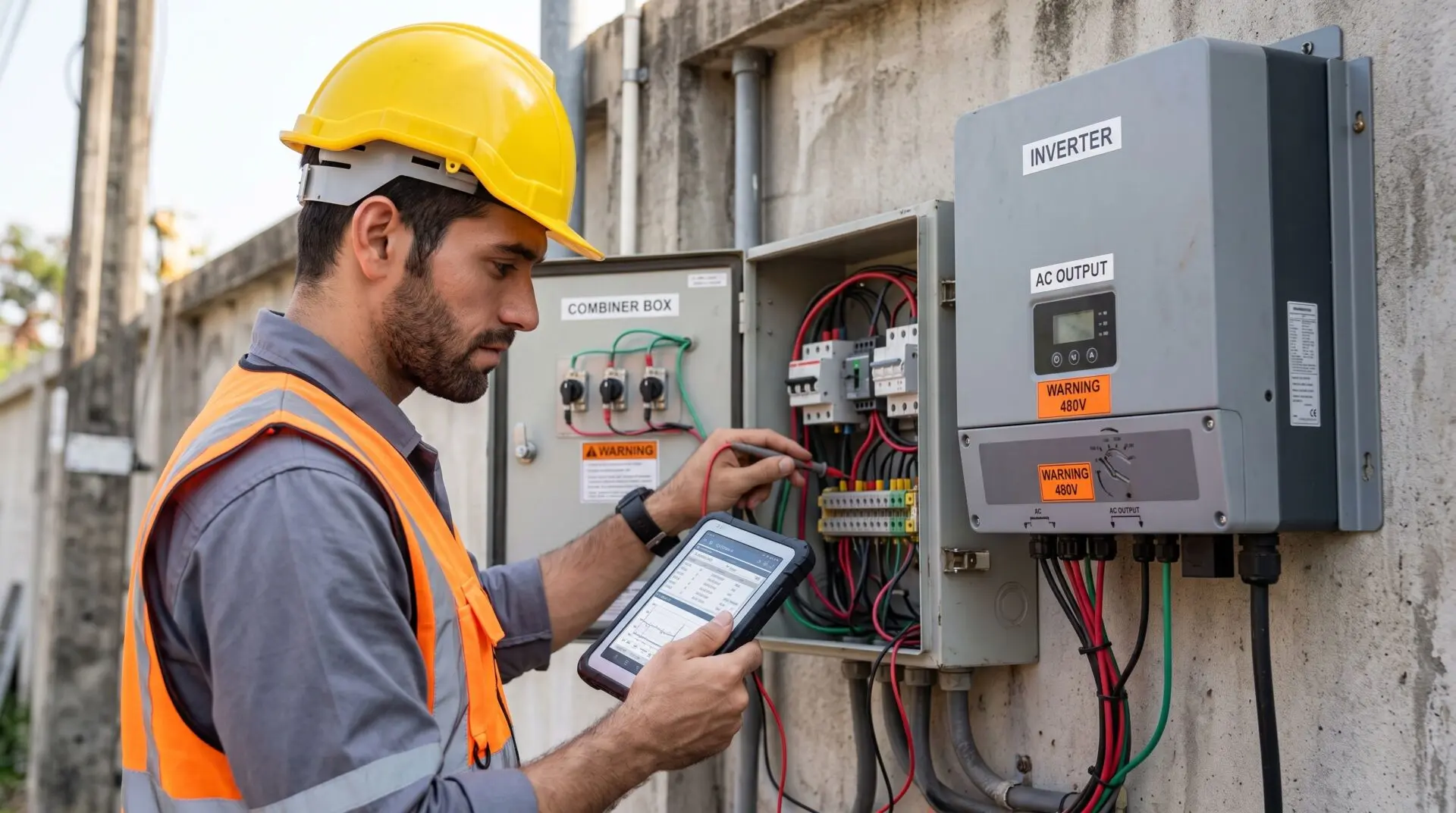
- Check the breakers. Find the solar breaker in your main panel, plus any breaker in a separate solar combiner box and the exterior AC disconnect. A tripped breaker sits in the middle position. Note what you find before touching anything.
- Check your Xcel meter or bill. If you're exporting energy on sunny days, the panels are working. Our post on how Xcel solar meters work explains the display.
Common causes and fixes
| Symptom | Likely cause | What you can do |
|---|---|---|
| App stopped updating right after a new router, new internet provider or Wi-Fi password change | Gateway or inverter still looking for the old network | Reconnect it to the new Wi-Fi (steps below) |
| App offline; gateway has no lights | Gateway lost power (its breaker is off or tripped, or it's unplugged) | Check the gateway's breaker or outlet; reset once if tripped |
| App offline after a power outage | Router or gateway didn't come back cleanly | Restart the router, then the gateway once |
| App current, production zero on a sunny day | Solar breaker tripped, AC disconnect off, or inverter fault | Check breakers; if one trips again, stop and call |
| One or a few panels show zero in the array view (Enphase) | Failed microinverter, loose connector or shading | Call your installer; this is a warranty item |
| Production looks fine but consumption shows odd or negative values | Consumption current transformers (CTs) installed backward, loose or on the wrong conductors | Installer fix; production isn't affected |
| Production reads zero in the app but the Xcel meter shows export | Production CT or metering issue in the gateway | Installer fix; you're still producing |
Reconnecting to Wi-Fi after a router change
This is the number one cause of "my solar stopped working" calls that turn out not to be. Enphase says a "Gateway Not Reporting" error usually appears after you change internet providers, your Wi-Fi password or your network name. Every new router means telling the gateway about it.
Enphase
- Open the Enphase App and follow its Gateway Not Reporting or Wi-Fi reconnect guide. Enphase publishes video guides for this.
- Stand within about 10 feet of the IQ Gateway with your phone, as Enphase advises.
- If the reconnect keeps failing, Enphase suggests restarting the gateway once and trying again.
- Good news: once it is back online, Enphase says the gateway begins uploading stored data from the period it was offline, so your history usually fills back in.
SolarEdge
SolarEdge inverters connect by Ethernet cable, Wi-Fi or a cellular module, depending on how the system was set up. Many newer inverters are configured through SolarEdge's installer commissioning app, so the reconnect may need your installer or a guided call. If your inverter is hardwired with Ethernet, a new router often just needs the cable moved to the new box.
Tips that prevent repeat outages
- If you can, keep the same network name and password when you replace a router. Many gateways reconnect on their own.
- Gateways in a garage or basement at the edge of Wi-Fi range drop off often. A mesh node or a wired connection near the gateway fixes that.
- Don't put the gateway on a switched outlet or power strip someone will turn off.
When it's a real production problem
Breakers trip for a reason. If the solar breaker is tripped, you can reset it once. If it trips again, leave it off and call. Repeated tripping can point to a ground fault, a damaged conductor or a failing inverter, all of which need a licensed electrician with meters, not a homeowner with a flashlight. Never open the inverter, combiner or junction boxes, and never go on the roof.
Other signs of a true fault:
- A red or flashing error light on the inverter or gateway that doesn't clear after a day.
- A burning smell, scorch marks or a humming disconnect. Turn off the AC disconnect and call right away.
- Production down sharply compared with the same month last year, on similar weather. That can be a failed string, optimizer or microinverter.
For a broader look at what fails and why, read what goes wrong with solar and how good installers prevent it. And if you're comparing your output to the original estimate, our guide to production estimates shows how to judge it fairly.
Older systems and orphaned accounts
Two situations need more than a Wi-Fi reset.
- Aging communication hardware. Earlier-generation gateways and plug-in powerline adapters (the small units that carry data over your home's wiring) fail more often than panels do. If a gateway shows no lights with confirmed power, or keeps dropping off a strong network, the hardware may need replacement. That is usually a modest repair compared with the energy it protects.
- No owner access. If your installer set up the monitoring account under their company and then closed, you may only see a limited view, or nothing at all. The manufacturers can often move the site to a new installer of record, who can then restore your access. Our guide for owners whose solar installer went out of business covers that process.
How often to check your monitoring
You don't need to watch the app daily. A quick look once a month, plus after big storms and power outages, catches nearly everything. Compare each month with the same month last year rather than with the month before, since Minnesota production swings hugely between December and June.
Still showing zero? We fix systems we didn't install
If you've reconnected Wi-Fi, checked the breakers and the app is still dark, or a breaker keeps tripping, book a visit through our solar repair service. We service Enphase and SolarEdge systems from any installer. For iSolar installs, monitoring is covered under the SolarInsure 30-year warranty, so call us first.
Sources
Frequently asked.
Why does my Enphase app say Gateway Not Reporting?
Enphase says this usually happens after you change your internet provider, Wi-Fi password or network name. Reconnect the IQ Gateway to your new network through the Enphase App, standing within about 10 feet of the gateway.
Are my solar panels still producing if the app is offline?
Usually yes. A communication problem only stops data from reaching the app. Check your Xcel meter or bill for exported energy, or look at the equipment lights, to confirm.
Will I lose my solar data while monitoring is offline?
With Enphase, the gateway uploads stored data from the offline period once it reconnects, so history usually fills in. Reconnect promptly anyway so you can spot real faults.
Why does my solar app show zero production on a sunny day?
If the app is current, the most common causes are a tripped solar breaker, a switched-off AC disconnect or an inverter fault. Reset a tripped breaker once; if it trips again, leave it off and call an electrician.
How do I reconnect my SolarEdge inverter to new Wi-Fi?
It depends on how your inverter connects. Hardwired Ethernet systems may only need the cable moved to the new router. Wi-Fi and cellular setups are often configured through SolarEdge's commissioning app, so your installer may need to help.
Does my solar warranty cover monitoring problems?
Gateway and communication hardware failures are often covered by manufacturer warranties. iSolar installs include monitoring under the SolarInsure 30-year warranty. Wi-Fi and router changes on your side are not equipment failures.


Have a question we haven't covered?
Talk to a local iSolar expert — free, no pressure. Call (651) 565-1140.